

Chat behavior
Configure how Lumen interacts with customers — response style, session handling, and more.
Control how Lumen communicates with your customers.
Response style
Lumen generates natural-language responses by default. On the Pro+ plan, you can fine-tune the AI persona to match your brand voice. See AI Persona for details.
On all plans, you can choose a standard tone from Settings.
Session handling
Each chat session starts when a customer opens the widget and ends when they close it or navigate away from your store.
Within a session:
- Lumen remembers the conversation context
- Customers can ask follow-up questions without repeating information
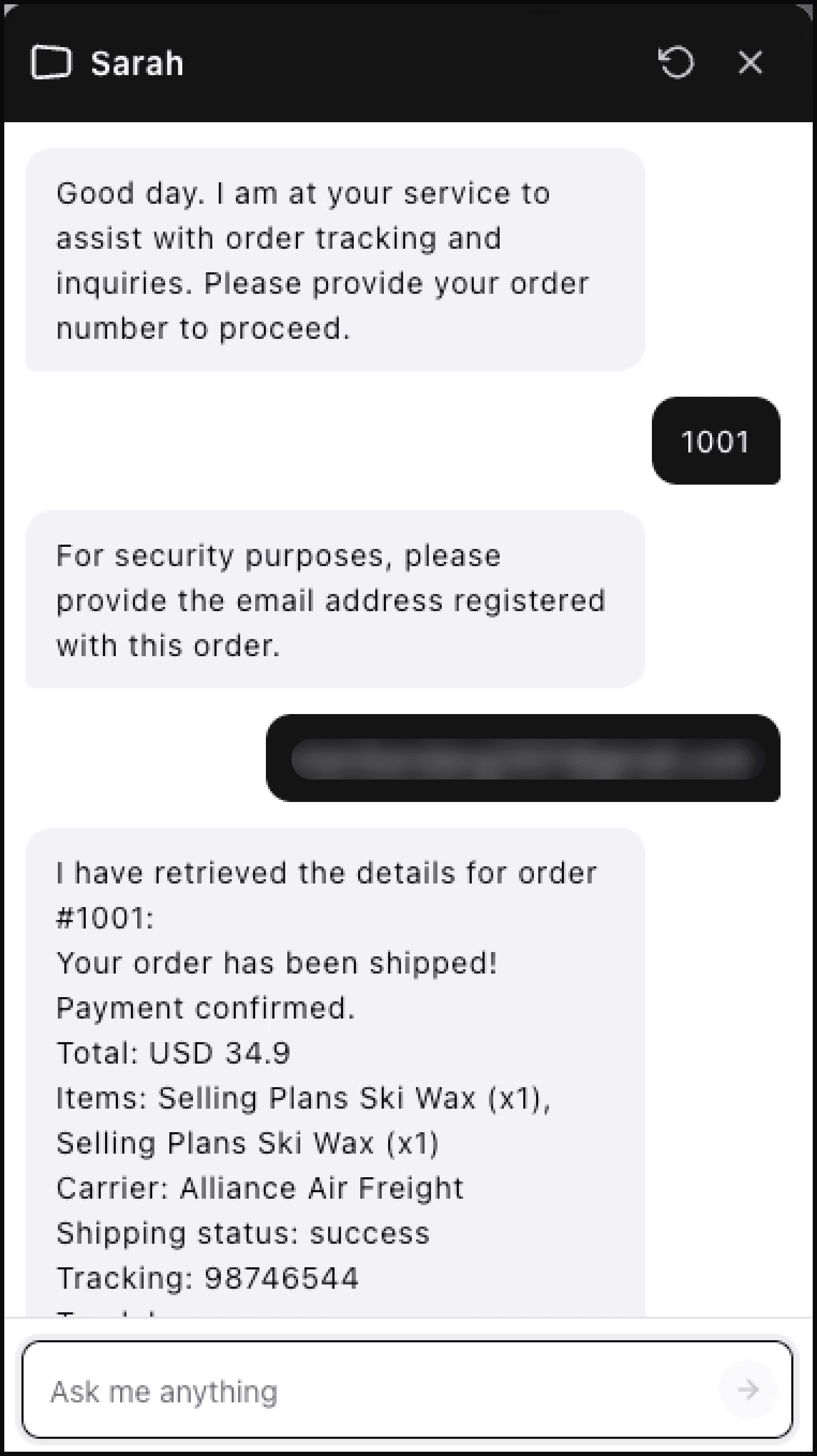
- A verified order can be reused for follow-up questions
Sessions are not preserved across visits. If a customer returns to your store later, they start a fresh conversation.
Customer verification
Lumen asks for the order number and verifies the email associated with the order before showing order or tracking details.
If verification fails, Lumen does not reveal the order details. The customer can try again or contact your support team.
Typing indicator
When Lumen is processing a query, customers see a typing indicator (animated dots) to show that a response is being generated. This typically lasts 1–3 seconds.
Auto-open behavior
By default, the chat widget shows as a bubble that customers must click to open. Lumen does not auto-open or show pop-up messages, which helps avoid interrupting the shopping experience.
Tickets
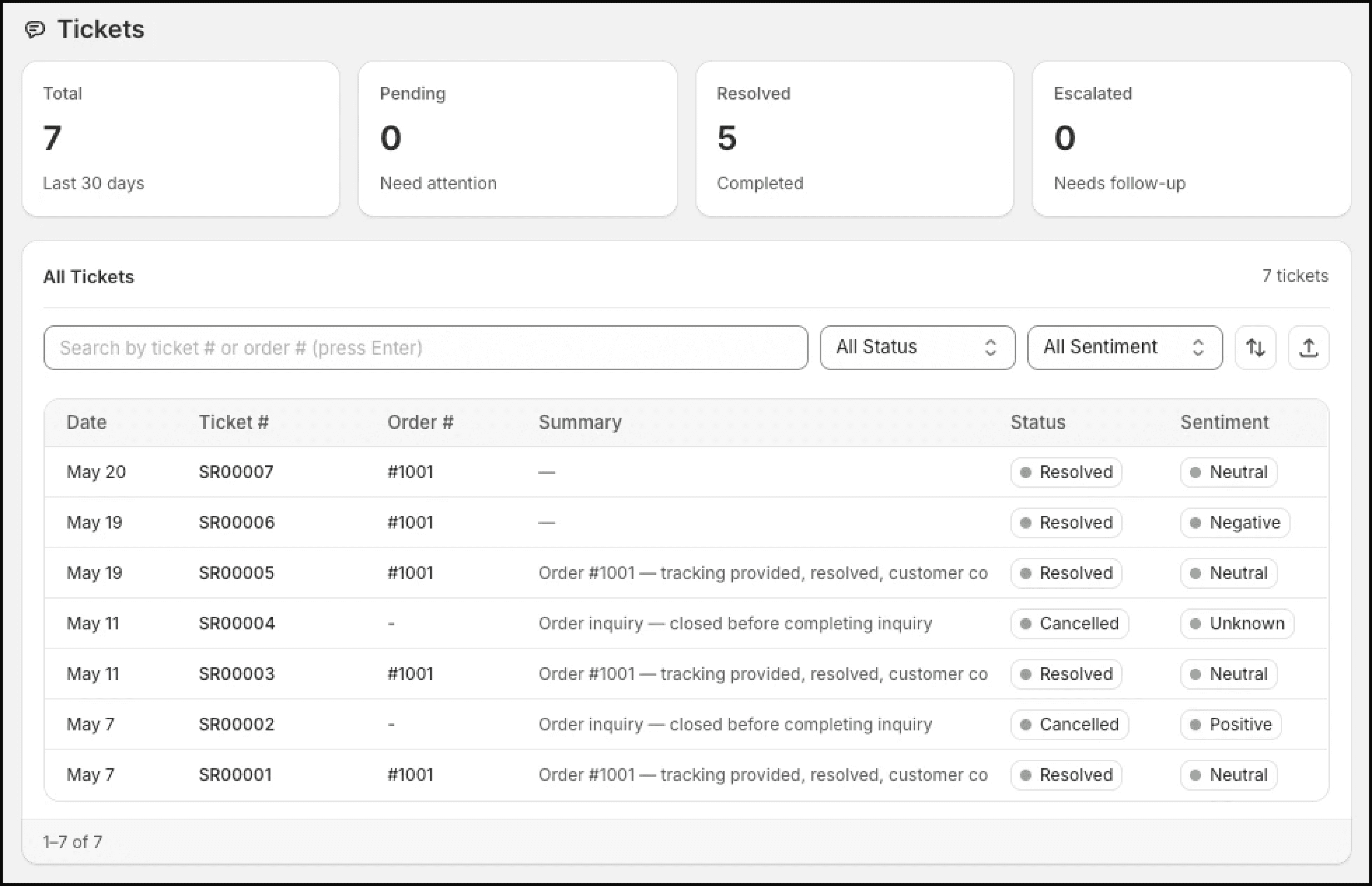
Merchants can view conversations as tickets in the Lumen dashboard:
- Go to Apps → Lumen → Tickets.
- Browse tickets by date, status, sentiment, or order.
- Open a ticket to see the available conversation and resolution context.
Conversation data is retained according to Lumen's data handling policy.