

Widget issues
Fix common problems with the Lumen chat widget not appearing or loading.
Widget not appearing on storefront
Symptom: You installed Lumen but the chat bubble doesn't show on your live store.
Solutions:
-
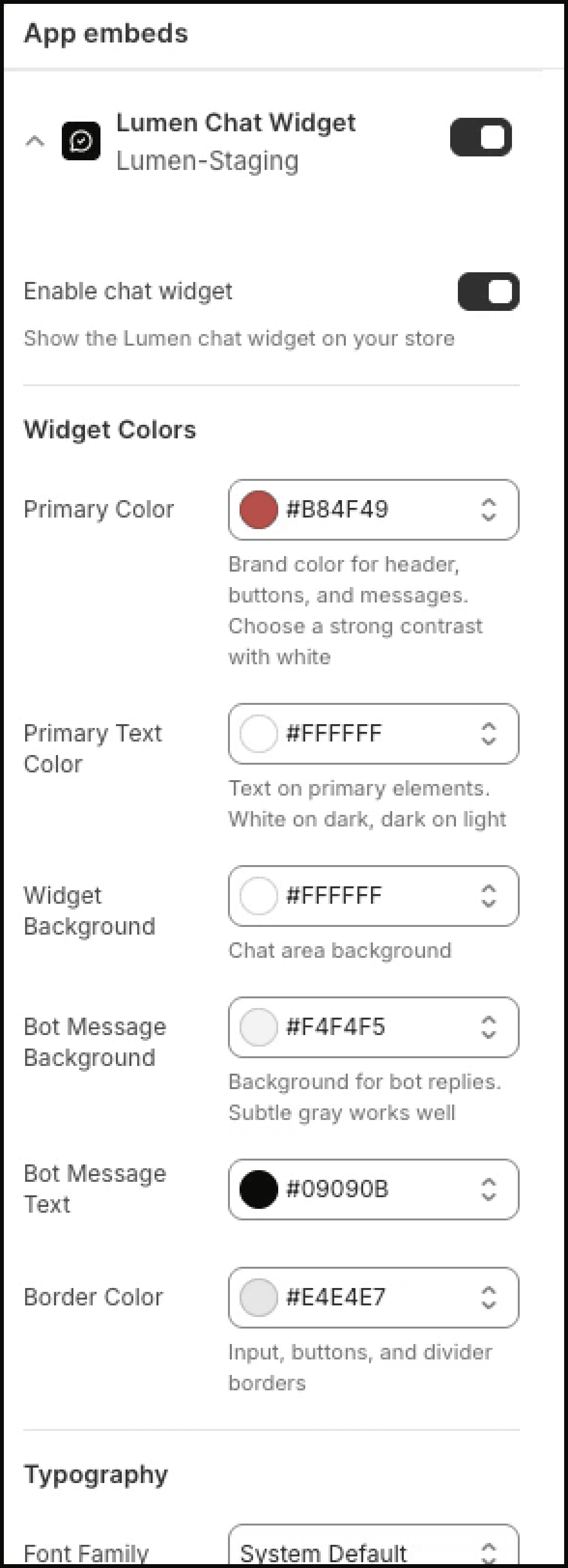
Check App Embeds — Go to Online Store → Themes → Customize → App embeds and make sure the Lumen Chat Widget toggle is on. This is the most common cause.
-
Click Save in the Theme Editor — The toggle is not live until the theme changes are saved.
-
Check the theme — Lumen works with Online Store 2.0 themes that support app embeds. If your theme is very old or custom-built, it may not support app embeds. Contact us at support@manilabs.co for assistance.
-
Clear your browser cache — Sometimes a cached version of your storefront loads without the widget. Try a hard refresh (Ctrl+Shift+R on Windows, Cmd+Shift+R on Mac) or open an incognito/private window.
-
Check for conflicts — Other chat widgets or floating apps can overlap Lumen. Temporarily disable other chat-related apps to see if there's a conflict.
-
Verify the theme is published — Make sure the theme where you enabled Lumen is your currently published theme.
Widget loads but shows an error
Symptom: The chat bubble appears, but when opened, it shows an error message instead of the chat interface.
Solutions:
-
Wait a moment — After first installation, it can take up to 60 seconds for all services to initialize. Close and reopen the widget.
-
Check your internet connection — The widget requires a connection to Lumen's servers.
-
Check Lumen status — If the issue persists, Lumen's service may be experiencing downtime. Contact support@manilabs.co.
Widget appears on wrong pages
Symptom: The widget shows on pages where you don't want it (e.g., checkout, password page).
Solution: Lumen's widget appears on all storefront pages by default when enabled via app embeds. Paid plans include widget visibility controls in settings.
Widget styling looks wrong
Symptom: The widget colors, size, or position don't match your settings.
Solutions:
-
Save your theme changes — Open the Theme Editor, verify your Lumen widget settings, and click Save.
-
Check for CSS conflicts — Custom theme CSS can sometimes override widget styles. If you have custom CSS that targets chat widgets or iframes, it may affect Lumen's appearance.
If none of these solutions fix your issue, contact us at support@manilabs.co with your store URL, the affected page URL, and a screenshot or short recording.